


AI Video : Generator & Maker
4.5129.00 Reviews
App Specs
- Version
- 1.4.7
- Updated On
- License
- Free
- Downloads
- 100,000+
- Developer
- Plus Apps Bilisim Teknolojileri Ltd.
- Categories
- Art & Design
- Platform
- Android
Screenshots
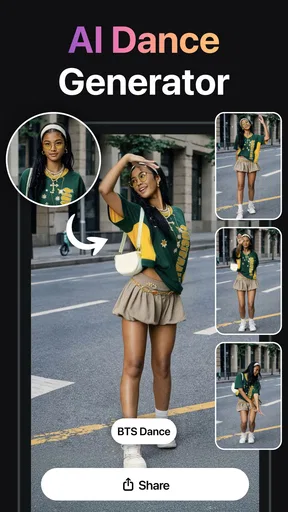

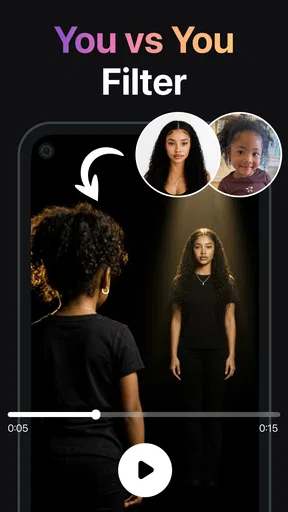
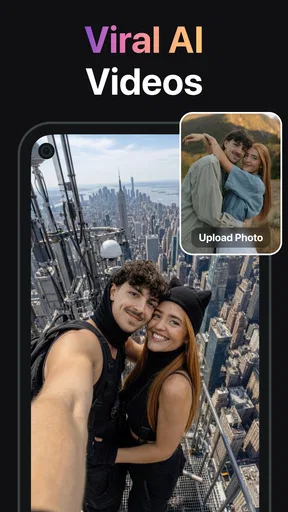
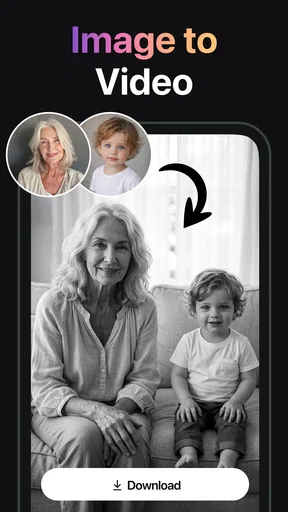
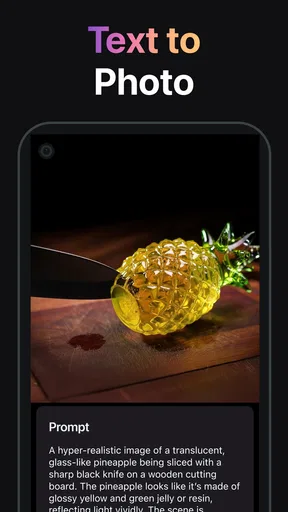
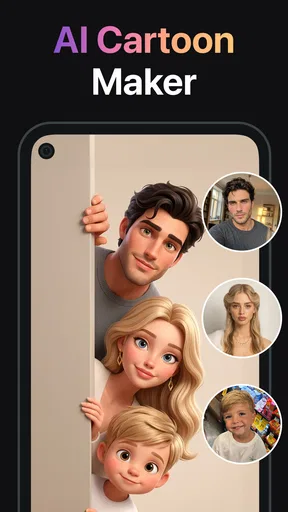
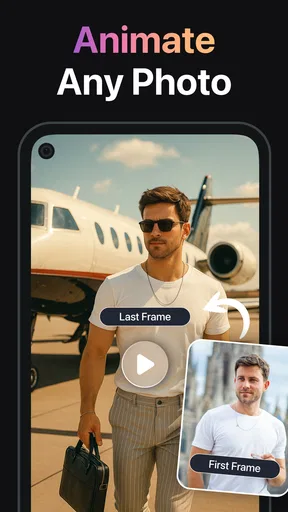
 Analysis by AppCompare
I tend to judge an AI video app less by its first surprising result than by whether I can imagine opening it again next week. AI Video: Generator & Maker makes a friendly first impression: it aims to turn photos and ideas into short video creations without asking you to learn a full editing suite first. That is an appealing promise when you want something shareable quickly, but the more useful question is whether the app fits a repeatable creative habit rather than a one-time experiment.
The first-week appeal: quick ideas, low setup
In its first few sessions, an app built around AI video generation can be useful when I have a visual idea but no footage, editing plan, or patience for a complicated timeline. I can picture using it to give a still image a more lively presentation, or to test whether a short text prompt can become a clip worth sharing. The point is not to replace every video tool; it is to make the blank-page moment less intimidating.
A practical way to judge the results is to start with a simple subject and a clear intention. Instead of asking for a broad, elaborate scene, I would describe one focal idea and decide what the clip is for: a playful post, a small announcement, or a visual to accompany a message. This makes it easier to tell whether the generated result is useful, rather than merely novel. I would also keep the original photo or wording available so I can compare the output and decide what actually improved.
The app is free to install and is listed for Everyone, which makes trying it feel low-commitment, though optional in-app purchases range from $7.99 to $79.99 per item. I would explore the basic workflow first and only consider paying if I found a recurring use that justified it. That small pause matters with creative apps: a striking first result can make paid options feel tempting before I know whether I will return to the tool.
Who is likely to get something from it?
I see the clearest fit for casual creators, small-business owners who need occasional visual material, and anyone who wants to experiment with photo-to-video or text-led ideas without building a project from scratch. A person making a birthday greeting, a quick personal post, or a simple visual for a community announcement may value convenience more than precise editing controls. The app’s focus is approachable enough to make experimentation feel less like homework.
It is less suitable if your work depends on exact timing, detailed compositing, carefully controlled camera movement, or consistent results across a whole campaign. A traditional editor gives me more direct control over clips, cuts, sound, and pacing; a dedicated design tool may be a better choice when the priority is matching brand layouts precisely. AI generation can help create a starting point, but it does not remove the need to review what it makes.
Getting Started with AI Video
First things first, downloading AI Video: Generator & Maker is as smooth as butter. Once you’ve got it on your device, the interface greets you with a neat and straightforward layout. It’s not cluttered, which is a win for anyone who’s tired of apps that look like a confusing spaceship control panel.
Worth Reading Before You Choose

EA SPORTS FC Mobile 26 Is a Bigger Football Game, but It Takes Time

Flipboard Shows What News Apps Must Do Beyond the Feed

Switching to Android Auto Means Rethinking Your Driving Routine

Google Calendar Makes a Crowded Week Easier to Manage

Ludo King Makes the Most of the Minutes Between Plans

Baby Panda World Brings Quick Play to Modern Phones, but Its Game Library Feels Busy
User-Friendly Interface
Speaking of the interface, it’s incredibly user-friendly. Even if you’re not tech-savvy, you’ll find it intuitive enough to navigate without getting lost. The app holds your hand through the process, making it perfect for beginners who want to dip their toes into video creation without feeling overwhelmed.
Features That Stand Out
What truly sets this app apart is its impressive array of features. Whether you’re crafting a quick social media clip or a more detailed project, there’s something here for everyone:
- AI-Powered Editing: The app uses cutting-edge AI technology to help you edit videos in a snap. Just select your clips, and let the magic happen.
- Templates Galore: Not sure where to start? There’s a plethora of templates to choose from. They’re customizable too, so you can add your personal touch.
- Music and Effects: Spice up your videos with a wide range of audio tracks and special effects. The app makes it easy to sync these with your visuals for a more polished final product.
Performance and Reliability
Nobody wants an app that crashes every five minutes, right? Well, no worries here. AI Video: Generator & Maker runs smoothly across both Android and iOS platforms. It’s fast, responsive, and doesn’t lag, which is crucial when you’re in the middle of a creative flow.
Sharing and Exporting
Once you’ve crafted your masterpiece, sharing it is a breeze. The app supports a variety of formats, making it easy to export your video to different platforms. Whether you’re posting on Instagram, YouTube, or just sharing with friends, you’re covered.
Room for Improvements
While the app is packed with features, there’s always room for improvement. Sometimes, the AI suggestions can be a bit off, but hey, perfection is a journey, right? Also, a few more advanced features for seasoned creators would be a nice touch in future updates.
Keeping the routine light
For a realistic everyday use, imagine receiving a last-minute message asking for a short clip to promote a weekend craft stall. I would choose one strong product photo, try a concise prompt that describes the mood and subject, then check whether the motion supports the item instead of distracting from it. If the result feels too busy, I would simplify the request or switch to a more restrained template rather than keep regenerating variations without a clear goal.
That workflow also helps answer a common practical question: does AI remove all the work? No. It can speed up the first draft, but I still need to check that the main subject remains recognizable, the tone suits the audience, and any text in the finished piece is legible. I would treat the output as a draft to curate, not an automatically finished advertisement. That distinction is especially important when a clip represents a real person, product, or event.
Month-to-month value and alternatives
The app is developed by Plus Apps Bilisim Teknolojileri Ltd. and sits in the art-and-design space, where its appeal is less about traditional frame-by-frame editing and more about turning a visual seed into a moving concept. It has a 4.5 average from around 6,300 ratings, with more than 100,000 installs. Those figures suggest that many people have tried it, but they do not tell me whether it will suit my own routine; that depends on how often I need quick AI-made visuals and how much control I expect.
Compared with a conventional mobile video editor, this approach can feel quicker when I have a prompt or a still image but no sequence of clips to arrange. The trade-off is predictability: a timeline editor lets me set exact cuts and adjust each moment, while generated motion may need another attempt or a compromise. Compared with making a static graphic, a short generated clip can attract attention, but it is not automatically clearer or more informative. For a menu, event schedule, or price list, a clean still design may communicate better.
To make the app earn a place beyond the novelty phase, I would keep a small set of repeatable jobs in mind: occasional social posts, personal greetings, or concept previews where a little visual movement adds something. I would save successful prompt wording in my own notes and reuse its structure, changing only the subject and mood. That is a practical way to reduce trial and error without assuming the app remembers a preferred style or provides a particular workflow for saving it.
What can cause creative fatigue?
Generative tools can make it easy to keep asking for “one more” version, and that is where the time-saving promise can turn into a time sink. I would set a limit for myself: decide what the clip needs to communicate, review a small number of options, and stop once one is clear enough for its purpose. If none works, a photo with a simple caption or a conventional edit may be the more efficient choice.
There is also a difference between making a clip and maintaining a dependable content routine. A small business that needs identical framing, typography, and timing every week may find AI output inconsistent with that need. A casual creator who posts when inspiration strikes is more likely to accept variation. Before building a regular process around any generated result, I would test it on a low-stakes post and check how much adjustment is needed afterward.
The listed current version is 1.4.4, and the minimum operating system is version 11. I would check that my device meets that requirement before planning to use it. Since creative tasks can involve personal photos, I would also be deliberate about which images I choose to work with and review the app’s on-screen information before sharing anything. For a clip intended for public use, I would watch it through once with sound and once without, so a visual or audio choice does not surprise me after posting.
Where I would draw the line
I would skip this kind of app if I needed guaranteed continuity between several shots, precise control over every movement, or a polished edit under strict professional specifications. I would also avoid paying for extras just because an early result looks impressive; the free entry point gives me room to decide whether I have a repeated need first. The in-app purchase range is broad, so I would check the specific item and its value in my own workflow rather than assume every option is necessary.
For a one-off clip, a familiar editor may be enough, especially if I already have the footage and only need to trim, arrange, and add a title. For a static announcement, a design app is likely more direct. The strongest case for this tool is narrower: I have an image or idea that would benefit from AI-generated movement, I can tolerate some experimentation, and I do not need exact control over every detail.
My long-term verdict
AI Video: Generator & Maker is free to get started, rated for Everyone, and offers an approachable route into AI-assisted video creation. I would recommend trying it to a friend who enjoys experimenting with visual ideas and needs occasional short-form material, while being honest that the first few results may be more exciting than the routine that follows. The app’s developer is Plus Apps Bilisim Teknolojileri Ltd., and its 2024 release makes it a relatively recent arrival in a crowded creative category.
My lasting-space test is simple: after the novelty wears off, can I name a real task for which this is easier than my usual editor? If the answer is yes, and I use it often enough to justify any optional purchase, it may become a handy creative shortcut. If I keep opening it only to generate random clips, or spend more time correcting them than making them, I would move on without guilt. Its best value is not that it makes every video effortless; it is that it can help a suitable idea get moving with less setup.
A final practical check before you begin
Before starting a project, I would decide where the finished video will be seen and what one thing viewers should notice. That simple choice helps me pick between a photo-led experiment, a text-based idea, or a conventional edit, and it stops the tool from becoming a playground with no clear finish line. I would also preview the result at the size where people are likely to watch it: details that seem clear while editing can become hard to read on a phone screen.
Overall, I see this as an occasional creative helper rather than a replacement for the apps I rely on for precise editing. The 4.5 average rating and 117 written reviews give a useful sense of public response, but my decision would still come down to whether its AI workflow reliably saves me effort on the kinds of clips I actually make. If you are curious, start with a low-stakes idea, judge the result by usefulness rather than novelty, and let that experience—not the promise of instant video—decide whether it deserves a spot on your device.
Pros
- User-friendly interface for easy navigation.
- Quick video processing without long waits.
- Extensive library of templates available.
- High-quality output with customizable options.
- Supports various video formats seamlessly.
Cons
- Limited free features; premium required.
- Occasional crashes on older devices.
- Requires stable internet for optimal use.
- Some templates feel slightly repetitive.
- Editing tools lack advanced features.
FAQs for AI Video : Generator & Maker
What is AI Video: Generator & Maker used for?
AI Video: Generator & Maker is an app designed to help users create high-quality videos using AI technology. It offers a range of features including automated video editing, special effects, and transitions, making it ideal for both beginners and experienced video creators. Users can efficiently produce professional-looking videos without extensive editing skills.
Is AI Video: Generator & Maker beginner-friendly?
Yes, AI Video: Generator & Maker is designed with an intuitive interface that is suitable for beginners. It offers step-by-step guides and templates that simplify the video creation process. Even users with no prior editing experience can quickly learn how to use its features effectively, making it a great tool for anyone looking to create videos.
What are the main features of AI Video: Generator & Maker?
The app includes a variety of features such as automated video editing, AI-driven effects, customizable templates, and seamless integration with music tracks. Users can also utilize advanced tools like voiceovers and text overlays to enhance their videos. These features are designed to provide flexibility and creativity in video production.
Are there any subscription fees for AI Video: Generator & Maker?
AI Video: Generator & Maker offers a free version with basic features. However, for access to premium features such as advanced editing tools and exclusive templates, users may need to subscribe to a monthly or yearly plan. Detailed pricing information can be found within the app or on the official website.
Is AI Video: Generator & Maker available on both Android and iOS?
Yes, AI Video: Generator & Maker is available for download on both Android and iOS platforms. Users can find it in the Google Play Store for Android devices and the Apple App Store for iOS devices. This cross-platform availability ensures that users can create and edit videos seamlessly on their preferred devices.


